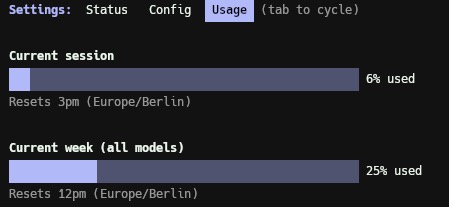
I was never a person who could do plenty of things in parallel. It’s difficult for me to switch contexts. I usually stick to one topic and work on it until it’s done or I get distracted. But hopping back in is hard for me, which makes using AI in parallel a lot harder. That said, using AI is not the problem here. Me not being good at orchestration tasks at this level of parallelism needs to be fixed. In general I'm not bad at such tasks, but every so often it is just too much to handle.
I’m in the last 20% of my #AdventOfProgress project for a public release, but I started a new project over the weekend. Now I’m here in the last 20% and got distracted with an old project. 😅
Today something out of my control distracted me. And while I get distracted, I get more ideas to distract myself even more from other stuff.
Getting distracted from distractions is distracting. 🫠
Last weekend (when I prepared that post), I created a game for my oldest with Claude Code. After breakfast we discussed games he could play on his tablet. I thought that Sudoku would be a nice game for him, but maybe with images or shapes.
Yes, I was randomly scrolling through YouTube and watched this video. Yes, I should have done something productive instead, but I was watching this video. Simon explained in this video that you have to turn negative into positive, like what we need to tell our kids, too. Instead of “don’t eat on the couch,” say “eat on the table.” Or “don’t look for obstacles” – “look for the path.”
It’s already a bit late, and I've been sitting on this for a while now. No idea why, but here it is. 🏆
Every New Year's resolution I had over the past years never worked out. So I stopped having them and thought about something manageable I could achieve. Which was also not working out because every time I try to work on a side project with a deadline, something occurs and moves my attention.
To everyone who reads this, a happy new year 2026! 🚀
I left 2025 satisfied and happy among my loved ones. We gathered at my home with some friends and their kids. It was a nice evening. While waking up, I started to write these words. I initially planned to write them before leaving 2025. But this time I will publish my review. For 2024, I’ve started the post but never finished it.
Summary Day! 🙂 Overall, I’m happy with how all this went. After 24 days, I have more than just an MVP! It is working nicely and makes everything I had in mind when I started.
The whole process went really smoothly. The last time I worked with React Native was ~10 years ago. At that time, I played around with an Android app, which I still want to build someday. :)
I've installed the app on a real device and tested everything. Most of the bugs I've found were keyboard related. If I had enabled the keyboard on the simulator, maybe there would have been fewer bugs. Or, should I call them bugs? When the keyboard is enabled, I just can see some inputs or buttons. I'm so happy that I did not find any critical bugs.
Aaaand the last MVP feature is implemented. Today I've added a photo upload for each entry. The user can add 5 images to each entry and can choose one main photo, which is then displayed on the entry list. And the user can remove the images as well.
This gives the app a nice personal touch. I hope that I don't reach any limits soon with this in Supabase. I never used the file storage before. It's a bit exciting; there are a lot of first times in this project. 😀